For agencies
Invite your teammates to every project, reply together, and keep internal notes away from clients.
Early access for agencies and freelancers
Send your client one link. They comment right on the website you built, you reply, and they approve it when it's right.
The problem
Clients send comments by email, WhatsApp and phone calls. Some get lost.
Clients say things like "make it pop". You don't know what they mean.
The client never clearly says yes, so more changes keep coming.
How it works
Paste its address, or upload the files if it isn't online yet.
Your client opens it and starts commenting. They don't need an account.
Reply, resolve every comment, and get a clear yes from your client.
Live-site comments
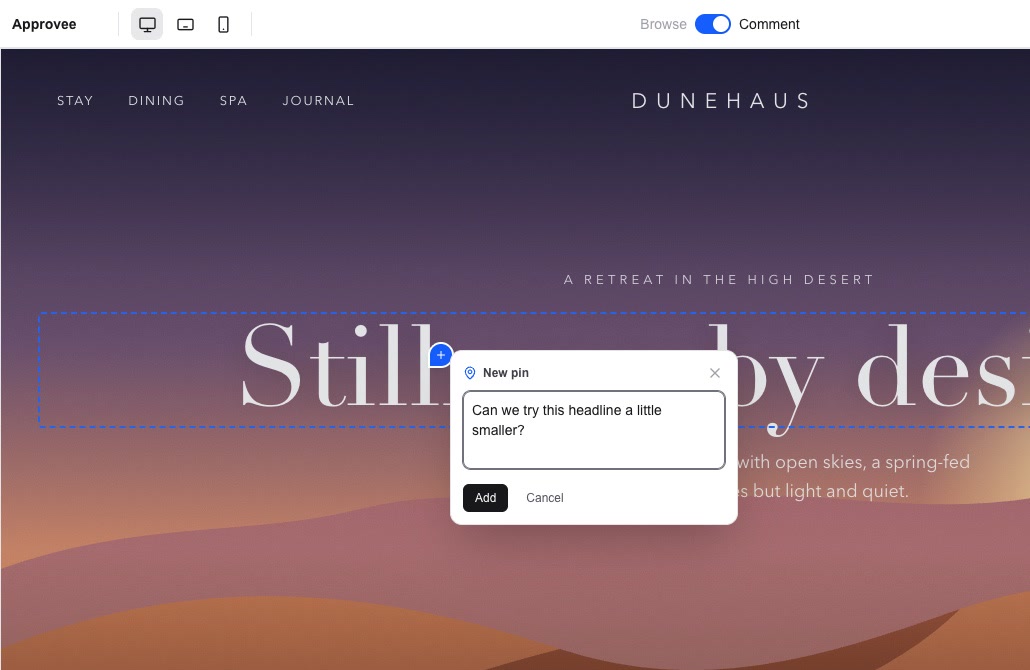
Clients click anything on the live site and say what should change. No more screenshots in email, or "the second button on that page".
Team only notes
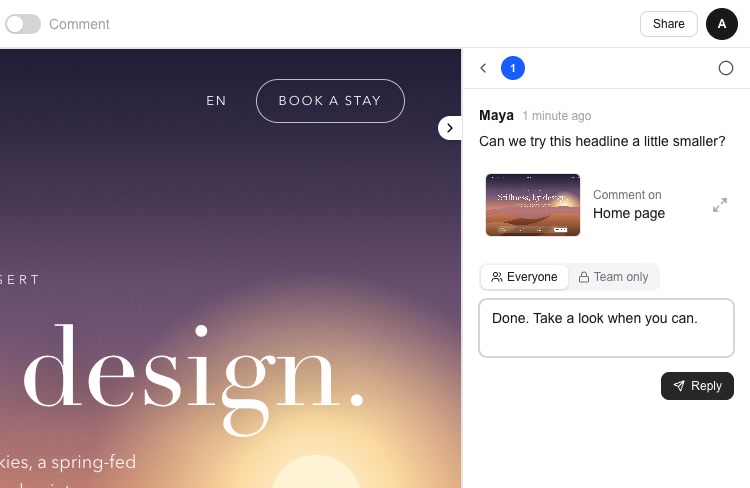
Reply where your client can see it, or switch to Team only for notes between you. Clients never see team notes.
Approval
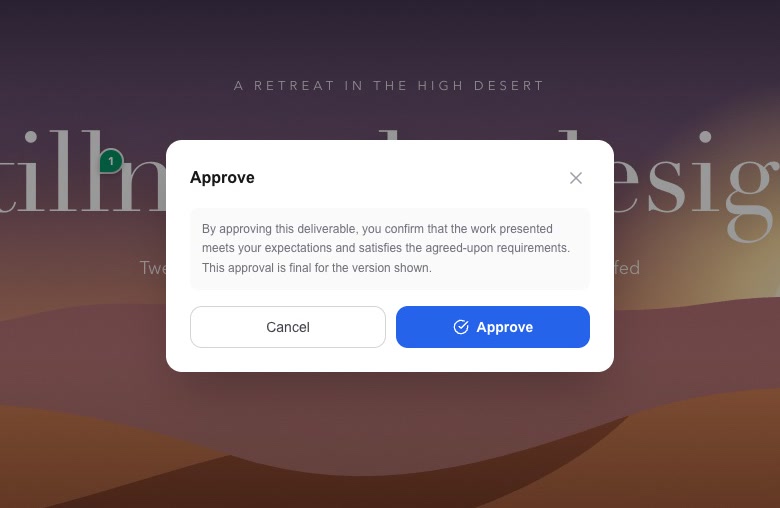
Your client approves the version they reviewed. You get a certificate of the approval, so nobody has to dig through old messages later.
Who it's for
Invite your teammates to every project, reply together, and keep internal notes away from clients.
Working on your own? There will be a plan made just for freelancers, so you get the same clear sign-off without paying for a team.
"I'm building Approvee because getting feedback on a website shouldn't take ten emails and a long WhatsApp chat. I want agencies and freelancers to get clear comments and a clear yes, all in one place."
FAQ
No. They open your link and comment. The first time, they're asked for their name.
No. There's no code to add. You give Approvee the address, or upload the files.
We're testing it on real agency sites now. Some sites may not open inside Approvee yet, and those can be uploaded as files instead.
Yes. You can also upload images and PDFs for your client to review.
Only people with your link. You can also limit it to just you or your team, and team only notes are never shown to clients.
Yes. There will be a plan made just for freelancers who work on their own.
We're inviting a small group of agencies first and will email you when your spot is ready. There's no date yet.
Join the waitlist and we'll email you when your spot is ready.